

How to Make the AI Zombie Trend From Photos: Zombie Love Story & Hug Guide
Learn how to make the viral AI zombie hug and love story video from one duo photo or two portraits. Step-by-step online workflow, photo tips, and app options.
How the AI zombie trend tells a story
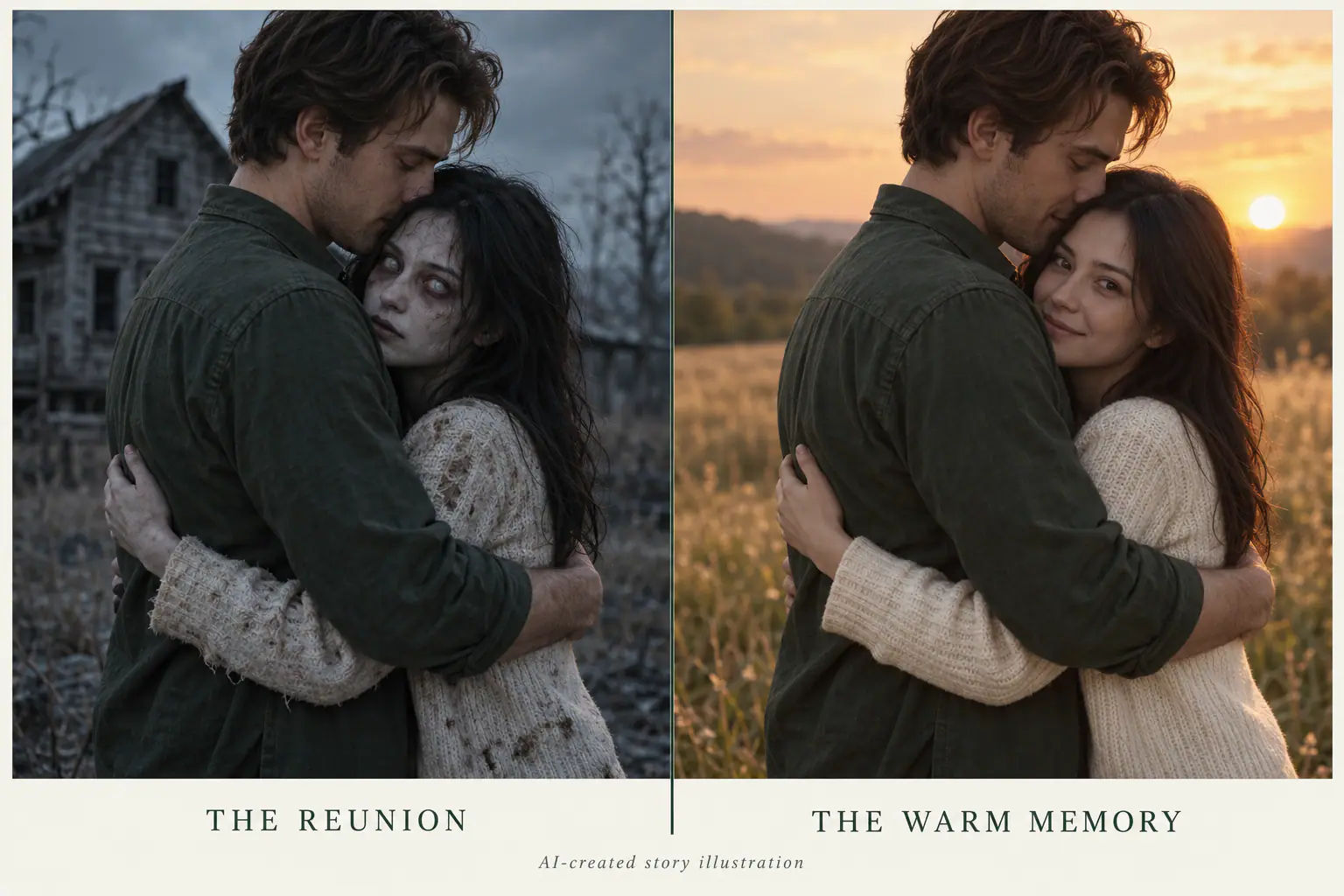
The AI zombie trend looks dramatic because it tells a whole story in a few seconds. A familiar person appears through fog with pale skin and empty eyes. Someone recognizes them anyway. There is a pause, a run, a hug—and then the scene cuts to the same two people healthy and laughing in a warm memory.
That emotional reversal is what makes the trend work. The zombie makeup is only the setup. The recognition and the match cut are the payoff.
You do not need a full film crew, a complicated timeline, or CapCut to make one. You need a clear photo setup, a short image-to-video prompt with a readable story arc, and enough restraint to keep faces and hands believable. This guide explains how to do the AI zombie trend from one photo or two, which type of tool fits the job, and how to fix the results when an AI hug turns strange.
How do you make the AI zombie love story video from photos?
The fastest answer is a three-step workflow:
- Choose the input that matches the story. Use one clear duo photo if both people are already visible and separated in the same frame. Use two individual portraits if you want more control over who becomes the zombie and who reacts.
- Generate a short vertical scene. Ask the AI to show a non-graphic zombie transformation, a moment of recognition, a gentle approach, and a hug that cuts to a healthy memory. Eight to ten seconds is usually enough for the story to land.
- Review the hug, then export for social. Keep the strongest version, post it in a vertical format, and add a suitable sound inside the social platform where you publish it.
That is the basic answer to how to do the AI zombie trend. The details matter because this is not a still-image effect. The model has to preserve two identities, understand who is changing, animate an approach, create a convincing embrace, and make a clean emotional transition. Give it a messy photo or an overloaded prompt and it will often lose the exact thing viewers need to recognize: the people in the story.
Before you begin, decide on the emotional version you want. The most shareable version is tender rather than graphic. Think ash-gray skin, pale eyes, a torn version of familiar clothing, fog, and a hesitant reunion. Avoid blood, bites, open wounds, weapons, or attack language. The clip should read as a reunion with horror styling, not a violent scene.
Only use photos of adults who have agreed to appear in the video. The same rule applies to a partner, friend, family member, or pet owner whose image is involved. A realistic AI video can travel much farther than the original post, so consent is part of making the trend well.
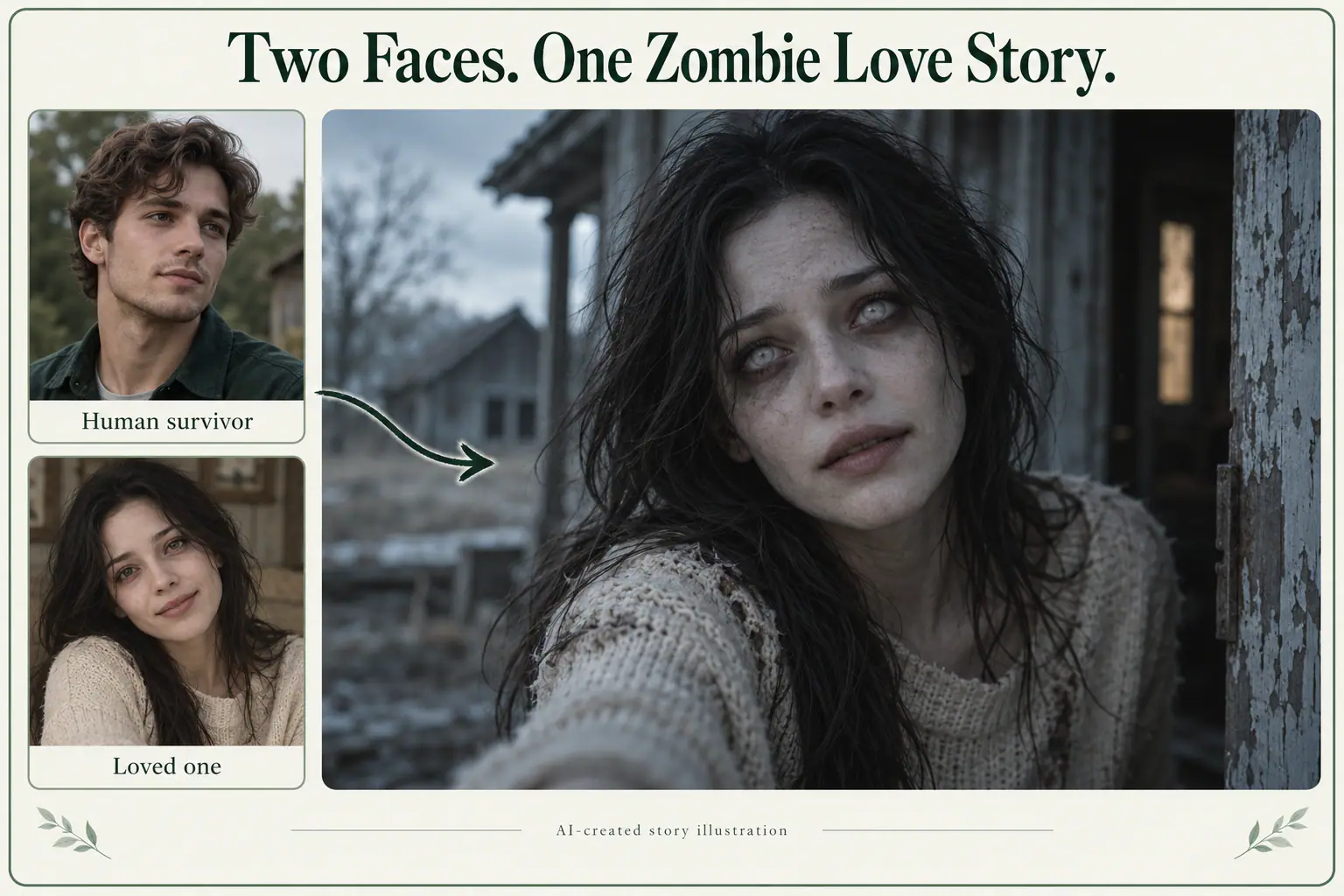
One duo photo vs. two separate portraits: which input works best?
There is no universal winner. The right input depends on whether your priority is natural composition or role control.
A single duo photo gives the model a shared starting point. It can see the relative height of both people, their clothing, their distance from each other, and the existing light direction. This often makes the final hug feel more coherent. The trade-off is that the AI has less freedom to stage a cinematic arrival from the fog, and it can struggle if the two people already overlap in the original photo.
Two separate portraits give you a cleaner story assignment. You can choose who walks out of the fog as the changed character and who reacts as the survivor. Template-based tools often use upload order to assign these roles, although the exact rule depends on the tool. Two portraits also make it easier to swap the roles and render a second version. The trade-off is that the model has to invent the shared setting, perspective, and body scale from scratch.
| Input choice | Best when | Main advantage | Main risk | Photo setup that works best |
|---|---|---|---|---|
| One duo photo | You want a simple zombie hug or reunion from an existing couple or friendship photo | The characters already share one composition, light direction, and scale | Arms, shoulders, or faces may blend if the pair is already touching | Both people visible from the waist up or full body, with space between their outlines |
| Two separate portraits | You want a clear zombie role, a survivor role, or a more cinematic story | Greater control over who changes and how the scene begins | Mismatched camera angles and lighting can make the pair look pasted together | Similar crop, similar angle, visible face, and a little upper-body context in each photo |
| One solo portrait | You are making a first-person, memorial-style, or character-focused version | Fastest setup and simpler identity preservation | It cannot tell a two-person love story without inventing the second character | A front-facing adult portrait with shoulders and clothing clearly visible |
For the classic zombie love story, two portraits are usually the safer option. One person can be assigned to the fog-and-transformation scene, while the other becomes the person who recognizes them. For a simpler zombie AI trend from one photo, start with a duo image where the people are not already hugging. The model needs room to create the movement toward the final embrace.
A good input photo is not necessarily a polished studio portrait. It is a photo the model can read. Choose a face that is well lit, largely front-facing, and big enough to show the eyes, hairline, and jaw shape. Avoid sunglasses, strong face filters, extreme side profiles, masks, motion blur, deep shadows, or a crowd in the background. If the original image is a mirror selfie, keep hands and phones away from the face whenever possible.
Clothing matters more than many people expect. A recognizable jacket, sweater, scarf, or necklace gives the model a visual thread to carry from the eerie first half into the warm flashback. The changed character can look dusty or distressed while still feeling like the same person.
Step-by-step: create your AI zombie hug video online
An online image-to-video generator is the most direct route when you want to make the zombie hug AI trend without building the scene in several different apps. Open the Zombie Love Story AI generator, then follow this sequence.
1. Plan the two roles before you upload
Write one sentence that explains the relationship and the turning point. For example: One adult walks out of a foggy ruined street after becoming infected; their partner recognizes them, lowers their guard, and embraces them before the moment cuts to a sunny memory.
This sentence prevents a common failure: asking for “a zombie couple hugging” and receiving a static Halloween pose. The trend needs a change of emotion. Fear comes first. Recognition changes it. The hug resolves it.
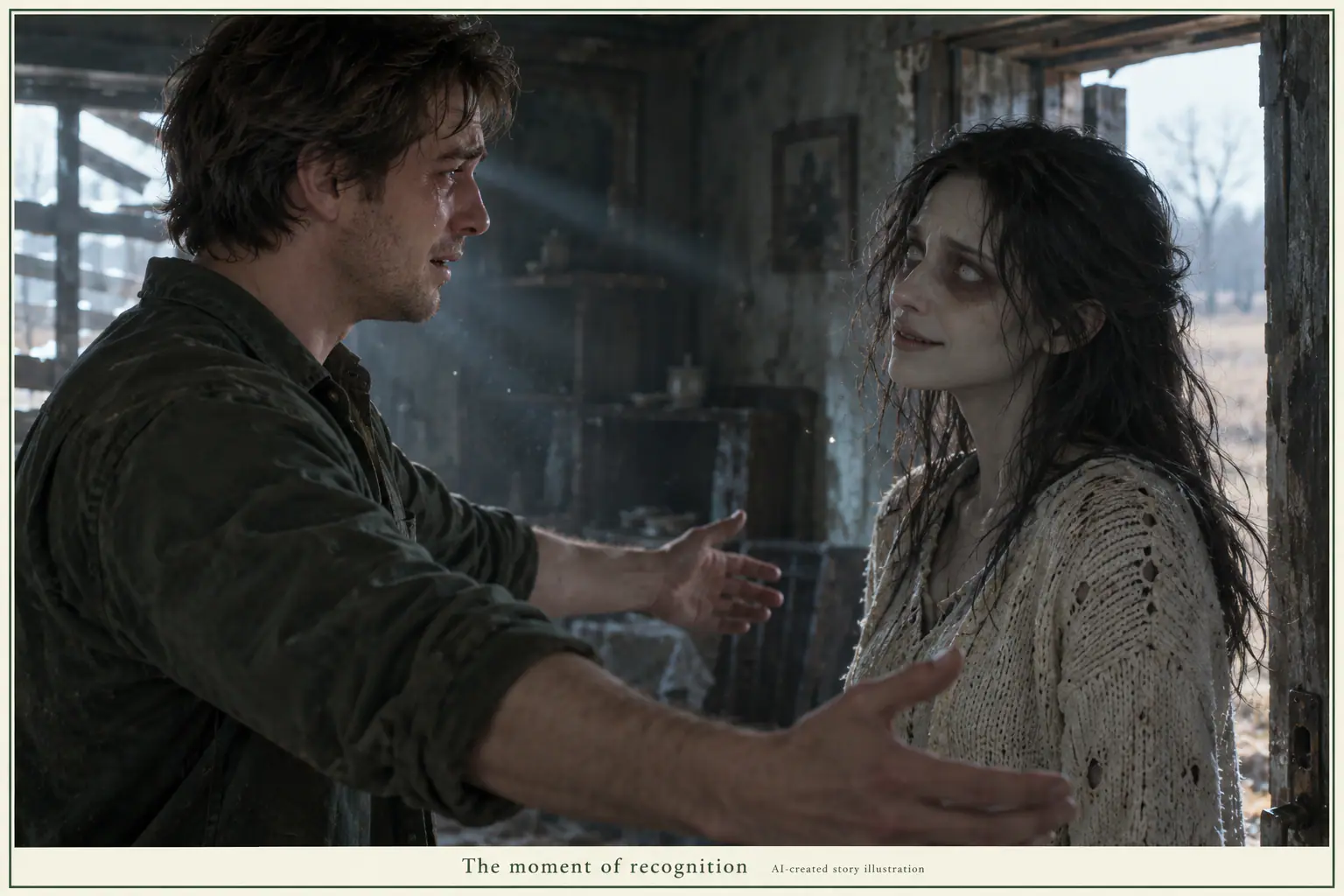
If you are using two photos, decide who will be the zombie character and who will be the survivor before you open the tool. In many templates, the first uploaded photo plays the changed character. Check the labels in the generator rather than assuming every tool uses that order.
2. Prepare the image files
Crop both portraits so the faces sit at a similar height in the frame. Waist-up photos are a strong default because they give the model enough body context for a hug without making the faces too small. Full-body photos can work well when the scene includes a run toward the camera, but only if both people are clearly visible and photographed from reasonably similar angles.
For a duo photo, choose an image where the people are standing or sitting with a little space between them. If their cheeks already touch, if one person is hidden behind the other, or if their arms cross in front of both bodies, the generator may treat the pair as one tangled shape.
Do not try to solve every issue with editing. The cleanest photo normally beats the most heavily retouched photo. A simple image with readable faces gives the video model stable information to animate.
3. Choose a vertical short-form setup
Select a 9:16 vertical format for TikTok, Reels, and Shorts. Start with a duration of around eight seconds if that option is available. It is long enough to show the approach, recognition, hug, and memory cut without asking the AI to sustain a complicated interaction for too long.
If the tool only offers a very short clip, focus on one emotional beat: hesitation followed by a gentle hug. Do not force the entire apocalypse-to-memory story into four seconds. If it offers a longer duration, use the extra time for a slower entrance from the fog or a held final hug, not for extra characters or a second plot twist.
4. Prompt the story in beats, not as a pile of adjectives
The strongest prompts give the model a sequence it can follow. Include five ingredients:
- Identity: keep both faces, hairstyles, clothing cues, and relative roles recognizable.
- Zombie styling: pale skin, muted eyes, dust, fog, or worn clothing—without graphic injury.
- Action order: notice, hesitate, approach, hug.
- Transition: cut on the hug to the same pose in a healthy, warm memory.
- Camera limits: one gentle camera move and one clear frame rather than a chaotic sweep.
Try this prompt as a starting point, then adapt the setting and relationship details:
Vertical cinematic zombie love story. In a cold, foggy abandoned street at dusk, keep both adult faces, hairstyles, and clothing details recognizable. The person in the first reference image slowly emerges from the fog with pale gray skin, softly clouded eyes, and a dusty, torn version of their familiar outfit; non-graphic, no blood, no wounds, no biting. The person in the second reference image sees them, freezes, recognizes them, lowers their guard, and opens their arms. The changed person walks forward calmly and they share one gentle, believable hug with clear hands and faces. At the exact moment of the embrace, match cut to the same two people healthy, laughing, and hugging in the same pose in a warm golden-hour field. Slow chest-height camera push, light drifting fog, natural anatomy, no text, no logos, no extra people.
For a zombie AI trend from one photo, change the identity instruction to something like: Keep the two adults from the reference photo distinct and recognizable. The person on the left becomes the changed character, while the person on the right recognizes them. If the duo photo makes left and right ambiguous, use a clear clothing description instead: the person in the denim jacket and the person in the cream sweater.
Keep the first attempt controlled. Do not add fire, lightning, zombies in the background, a chase, a car crash, a spinning camera, or dialogue all at once. Each extra moving object gives the model another chance to distort a face or break the hug.
5. Generate more than one version, but revise one problem at a time
Your first render is a draft, not a verdict on the photo. Watch it once for the feeling, then a second time for the technical details. Check these moments in order:
- Are both people recognizable before the hug?
- Is the changed character clearly the intended person?
- Does the survivor’s expression move from fear to recognition?
- Do the hands, arms, and shoulders connect naturally?
- Does the memory cut happen on contact rather than at a random moment?
- Does the final scene preserve the same pair and emotional tone?
If only the hug looks wrong, simplify the interaction rather than rewriting the whole prompt. Ask for a slow step forward and one gentle embrace. If identity drifts, remove atmosphere before changing the faces: delete extra fog, particles, background figures, and complex camera movement. If the scene feels too dark, brighten the source photo or request soft front light on the faces.
6. Export the best clip and finish the post where you publish it
Once the video reads clearly on a phone screen, export it in the vertical format. Upload the clip directly to the social platform where you plan to post it. If you want a current emotional sound, choose it from that platform’s own music library at posting time. That is cleaner than embedding a copyrighted track into the generated file, and it lets the post use the sound version available in your region.
Keep any caption short. The video already has a beginning, middle, and ending. A caption that explains every beat can make the post feel heavier than it needs to be.
What app makes the viral zombie AI trend?
There is not one official zombie AI trend app. The trend is a story format that can be made with different combinations of image generation, image-to-video animation, templates, and mobile editing. What matters is whether the tool can preserve identities while animating a clear action sequence.
For most people, a browser-based image-to-video generator is the most practical answer to “what app makes the zombie AI trend?” It removes the need to move files between a phone editor, an image generator, and a separate animation app. Mobile AI video apps are useful if you want to work entirely from your camera roll. Editing software is useful when you already have the generated clips and want precise pacing, text, transitions, or sound design.
| Route | Where the zombie story is created | Best for | What it handles well | What to watch for |
|---|---|---|---|---|
| Online image-to-video generator | In a browser from one duo photo or two portraits | Fast, focused trend videos and a no-download workflow | Identity-guided animation, vertical output, prompt-based scenes, quick reruns | Choose a tool that supports clear photo references and simple short clips |
| Mobile AI video app | On a phone from camera-roll images and a prompt | Creating and posting while away from a computer | Convenient upload, quick sharing, mobile-friendly controls | Small-screen prompting can make detailed revisions slower |
| Template-based photo video tool | Inside a preset that already has the zombie reunion structure | Beginners who want the familiar sequence with minimal writing | Role assignment, scene order, and predictable pacing | The result may look similar to many other posts and offer fewer creative controls |
| Editing software such as CapCut | After the core clip has been generated, or through an app-specific AI feature | Fine-tuning sound, captions, cuts, and multi-clip storytelling | Timeline edits, text overlays, music timing, and manual transitions | It does not have to be part of the generation step; an edit can become more complicated than the trend needs |
| Separate image generator plus video generator | First create a stylized keyframe, then animate it | Creators who want a highly art-directed visual style | Custom wardrobe, lighting, environment, and pre-planned composition | More steps mean more chances for identity mismatch between the image and video stages |
If you need a direct recommendation, start with an online AI image-to-video tool for the generated scene and use the posting platform for music. That workflow answers both how to make zombie hug AI and how to make zombie hug AI without CapCut with the fewest moving pieces.
The tool itself matters less than its workflow. It should let you upload a reference photo, guide the action with a prompt, generate vertical video, and rerun the clip when faces or hands need improvement. A polished mobile editor cannot repair a hug that was never generated convincingly in the first place.
How to make the zombie hug trend without CapCut
CapCut can be useful, but it is optional. The AI zombie hug trend works especially well without it because the emotional structure can happen inside one generated clip. You do not need a separate app to create fog, animate the approach, make the hug, and cut to the warm flashback if your image-to-video prompt gives those instructions in the right order.
Use this no-CapCut workflow:
- Upload one strong duo photo or two compatible portraits to an online image-to-video generator.
- Select a vertical aspect ratio and a short duration.
- Generate the complete story in one prompt: eerie encounter, recognition, hug, warm memory.
- Choose the cleanest render after checking faces, hands, and the transition.
- Download the finished clip.
- Upload it directly to TikTok, Instagram Reels, or YouTube Shorts.
- Add sound, a short caption, and any optional text within the platform’s posting screen.
This approach is not a shortcut in the bad sense. It is a better match for the trend. Viewers respond to a single emotional turn, so a clean eight-second clip often feels more effective than a heavily edited montage.
Use an editor only when it solves a specific problem. CapCut or similar software helps if you want to trim a slow first second, place two generated attempts side by side, add a title card, time a custom voiceover, or build a longer story around the zombie reunion. It is unnecessary if the result already has a readable beginning, a convincing hug, and a strong final image.
The most common mistake is trying to recreate a trending song inside the generated video file. Generate the visuals without music. Then choose an available sound from the social platform’s library when you publish. That keeps your visual file flexible and avoids making the audio track the fragile part of the workflow.
Why does an AI zombie video look distorted? (Photo selection fixes)
Distortion is usually not random. The model is being asked to solve too many unclear visual instructions at once: identify a face, infer a body, create a second character, transform clothing, animate contact, and change locations. The solution is often to give it less ambiguity, not more detail.
| What looks wrong | Likely cause | Photo selection fix | Prompt or generation fix |
|---|---|---|---|
| The face changes halfway through | The face is too small, angled, filtered, shadowed, or partly covered | Use a clearer front-facing portrait with visible eyes, hairline, and jaw | Ask to preserve facial identity; remove extra characters and busy visual effects |
| The wrong person becomes the zombie | The role instruction is vague or upload order is misunderstood | Use portraits with visibly different clothing and hairstyles | State the role by upload slot or clothing; confirm the tool’s role labels before rendering |
| Arms multiply or the hug becomes tangled | The starting pose already overlaps, or the requested action is too fast | Use a duo photo with space between bodies, or two waist-up portraits | Ask for one slow, gentle hug with clear visible hands; avoid spinning and running at the same time |
| One person looks much taller or is pasted into the scene | The two portraits use very different camera heights or crops | Match the angle and crop as closely as possible before upload | Request a medium shot at chest height; simplify the environment |
| The zombie looks like a different character | The transformation description is overpowering the original identity | Choose a source photo with distinctive hair, clothing, or accessories | Use subtle non-graphic styling and explicitly preserve face, hair, and outfit cues |
| The video turns into an attack instead of a reunion | The prompt uses aggressive words such as chase, lunge, attack, or violent | Choose a neutral or warm original expression rather than an angry pose | Use “walks forward calmly,” “recognizes,” and “gentle embrace”; exclude violence and biting |
| The warm-memory cut feels random | The transition does not have a single visual anchor | Choose photos where the pair can plausibly face each other at similar height | Ask for a match cut at the exact moment their bodies touch, with the same pose in the final setting |
| The entire clip looks noisy or over-stylized | Too many effects compete with the subjects | Start with clean photos against simple backgrounds | Remove fire, crowds, text, fast camera movement, and excessive particles; keep only fog and one lighting mood |
| The request is declined | The input or prompt may contain disallowed violence, a real person without appropriate context, or a minor | Use only authorized photos of adults and avoid sensitive or unclear source material | Keep the treatment non-graphic and remove weapons, injuries, blood, and attack language |
When a video fails, change only one variable on the next attempt. Switching the photo, crop, duration, action, setting, camera, and transformation style at the same time makes it impossible to learn what improved the result. Start with the clearest identity problem. Then fix the hug. Then refine the atmosphere.
A reliable test is to mute the video and watch it at normal speed. If a viewer can immediately tell who is returning, who recognizes them, and why the final hug is emotional, the clip is working. If you need to explain the story in the caption, simplify the scene before adding more effects.
Common questions
Can you do the AI zombie trend from one photo?
Yes. A single duo photo can work very well when both people are clearly visible, distinct from one another, and not already tangled in a pose. Tell the generator which person becomes the zombie by describing their position or clothing. One photo is best for a direct reunion or hug. Two photos give stronger control over a full approach-from-the-fog story.
Can you make the zombie AI trend from two photos?
Yes, and it is usually the better setup for the classic zombie love story. Upload one portrait for the changed character and one for the person who recognizes them. Use similar crops and lighting if possible. Before generating, check whether the tool assigns roles by upload order or by separate labels.
What app makes the zombie AI trend?
There is no single official app behind it. A browser-based image-to-video generator, a mobile AI video app, or a template tool can all make the core scene. Choose the route that gives you the clearest control over reference photos, vertical output, and a rerun option. Use an editor only if you need extra pacing or text after the video is generated.
Do I need CapCut for the zombie hug trend?
No. You can create the entire visual story in an online photo-to-video generator and add music or a caption in the social platform where you post it. CapCut is optional for trimming, captions, or a longer multi-clip edit.
Why does the generated video have no audio?
Many image-to-video tools generate visual clips without sound. That is normal. Add the soundtrack during posting through the platform’s music library, or add your own audio later in an editor if you have permission to use it.
What length should the video be?
Around eight to ten seconds is a useful target for the full zombie love story. That gives the viewer time to read the first emotional reaction, watch the approach, see the hug, and register the warm-memory cut. For a four-second clip, focus on recognition and the hug rather than trying to include every story beat.
Should the zombie look frightening or romantic?
Aim for a balance: unsettling enough to create contrast, but non-graphic enough that the face remains recognizable and the hug still feels tender. Pale skin, tired eyes, mist, dust, and damaged clothing usually work better than gore. The story is about recognizing someone through a frightening change.
Can I use a photo of a friend, partner, or family member?
Use it only with their clear permission and keep everyone depicted as an adult. Let people know the intended concept before you publish, especially if the result could be mistaken for a real video. Avoid public figures, strangers, and photos of minors.
The best AI zombie trend video is not the one with the most fog, the darkest color grade, or the most elaborate apocalypse background. It is the one where viewers recognize the relationship in a second—and feel the change from fear to affection before the final frame disappears.